

Features
What SPConnector does
SPConnector watches your Shippo account and sends each new packing slip to your printer through PrintNode. Here's everything it does, and which plan each part needs.
Start for FreeThe core of it
Automatic order processing
SPConnector checks your Shippo account every 60 seconds for new orders and prints packing slips right away. It skips cancelled orders, avoids duplicates, and runs around the clock whether you're at your desk or not.
- Poll interval
- Every 60 seconds, 24/7
- Duplicates
- Prevented automatically
- Cancelled orders
- Skipped
- Shippo account
- Used as-is, nothing to migrate
Shippo
A new order comes in from your store
SPConnector
Your rules pick the right printer
Your printer
The packing slip prints. Grab it, pack the box.
Routing
Business+Multi-printer routing
Send different orders to different printers based on rules you set. Route by order value, shipping speed, marketplace, or destination state. With failover on, orders go to the next printer when one goes offline.
- Route by
- Order value, speed, marketplace, state
- Strategies
- Round-robin, failover, print-to-all, random
- Printer offline
- Automatic failover
- Available on
- Business & Enterprise
Example routing rules
High-value orders get their own station
Load balanced across two printers
Geographic routing for multi-location fulfillment
Rules run top to bottom; first match wins.
Tracking
Growth+Every tracking number, one dashboard
Tracking numbers from your Shippo labels are imported to each order. When a customer sends something back, mark its tracking number as a return. SPConnector follows it and emails you each time its status changes, for USPS, UPS, FedEx, DHL and the other carriers Shippo tracks.
- Carriers
- USPS, UPS, FedEx, DHL and more
- Import
- Automatic from Shippo labels
- Returns
- Mark an imported number or add one
- Alerts
- Email on every status change
- Available on
- Growth & up
Order #1042 · shipments
UPS Ground
1Z999AA10123456784
USPS Priority Mail
9400 1118 9922 3100
Invoices
Customer-ready invoices in one click
Generate an invoice PDF for any order from its row on the Orders page. SPConnector fills in the customer details, line items, and totals from the order. Available on every plan, including the free Starter plan.
- Generate
- One click from any order
- Branding
- Your logo, address, footer
- Contents
- Line items, totals, shipping
- Available on
- Every plan, including free
| Ceramic mug, glazed × 2 | $44.00 |
| Canvas tote bag × 1 | $28.00 |
| Shipping (USPS Priority) | $8.45 |
| Total | $80.45 |
Your logo & footer here
The workbench
The dashboard
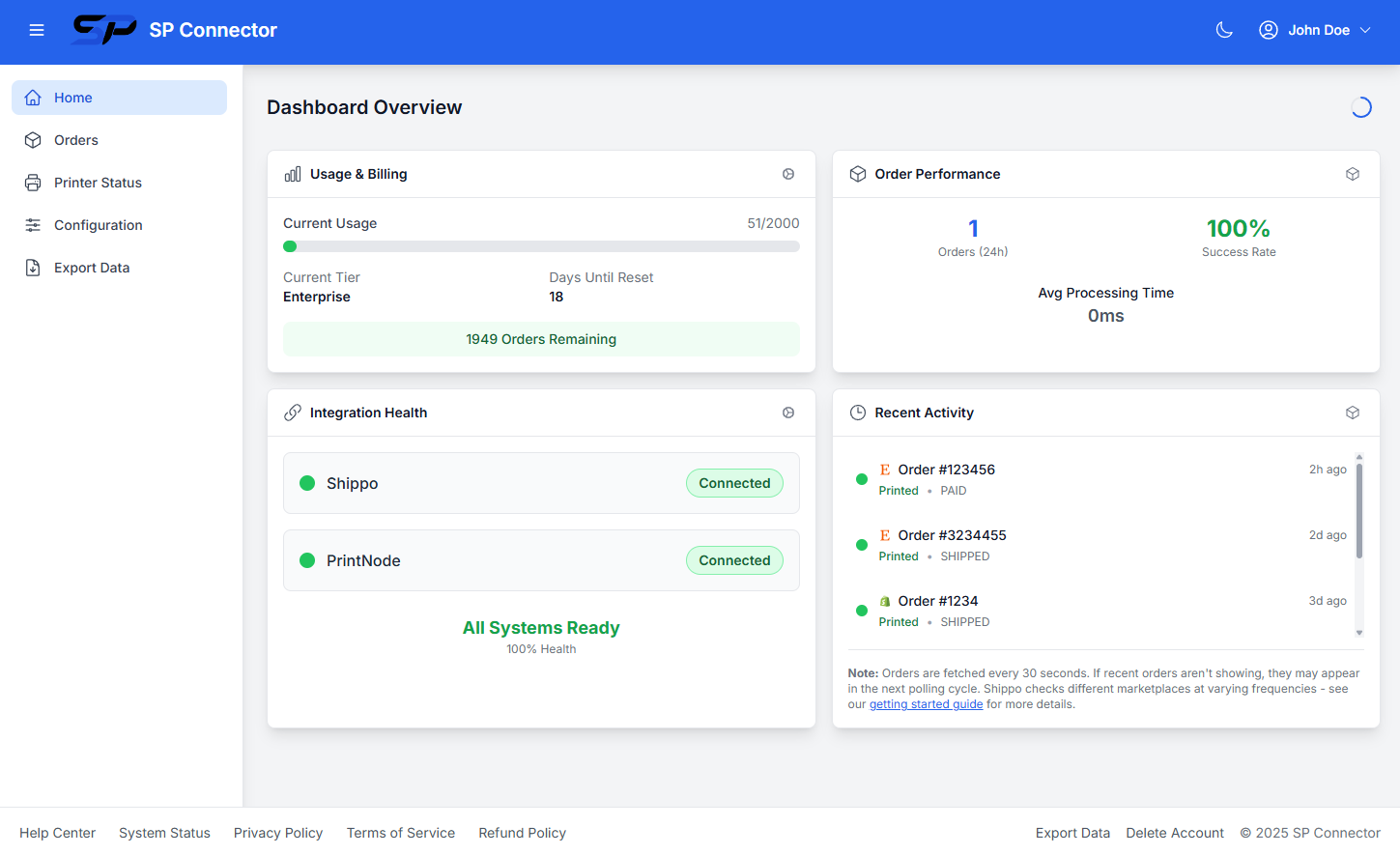
The dashboard shows your printing activity, usage against your plan limits, and whether Shippo and PrintNode are connected.
Order history & reprint
Every processed order is logged and searchable. Download slips or reprint from the order row.
Printer status
See whether your printer is online and what it supports: paper sizes, 1 to 99 copies, and single or double-sided printing.
Test mode
Verify the whole flow during setup without accidentally printing, and keep old orders from processing.
Usage at a glance
Plan limits, reset dates, and the last 24 hours of activity with print success rates.
Encryption
API keys and customer contact details are encrypted with AES-256, using a separate key for each account. Hosting runs on Railway's SOC 2 Type II certified infrastructure.
Export and delete
Export everything as JSON or your orders as CSV, or delete your account from the user menu.
Sync times by platform
SPConnector prints from any platform Shippo supports. How quickly an order reaches Shippo depends on the platform.
- Etsy, Shopify, WooCommerce, Wix, Walmart
- 15 min sync
- Amazon, eBay
- 1 hour sync
Sync times are determined by Shippo based on platform API limitations. SPConnector checks for new orders every minute.
Try it on your own orders
The Starter plan covers 100 orders a month. Leave test mode on until you've checked a few slips.
Free plan · No credit card